Discover professional insights and connect with industry leaders. Featured Profiles
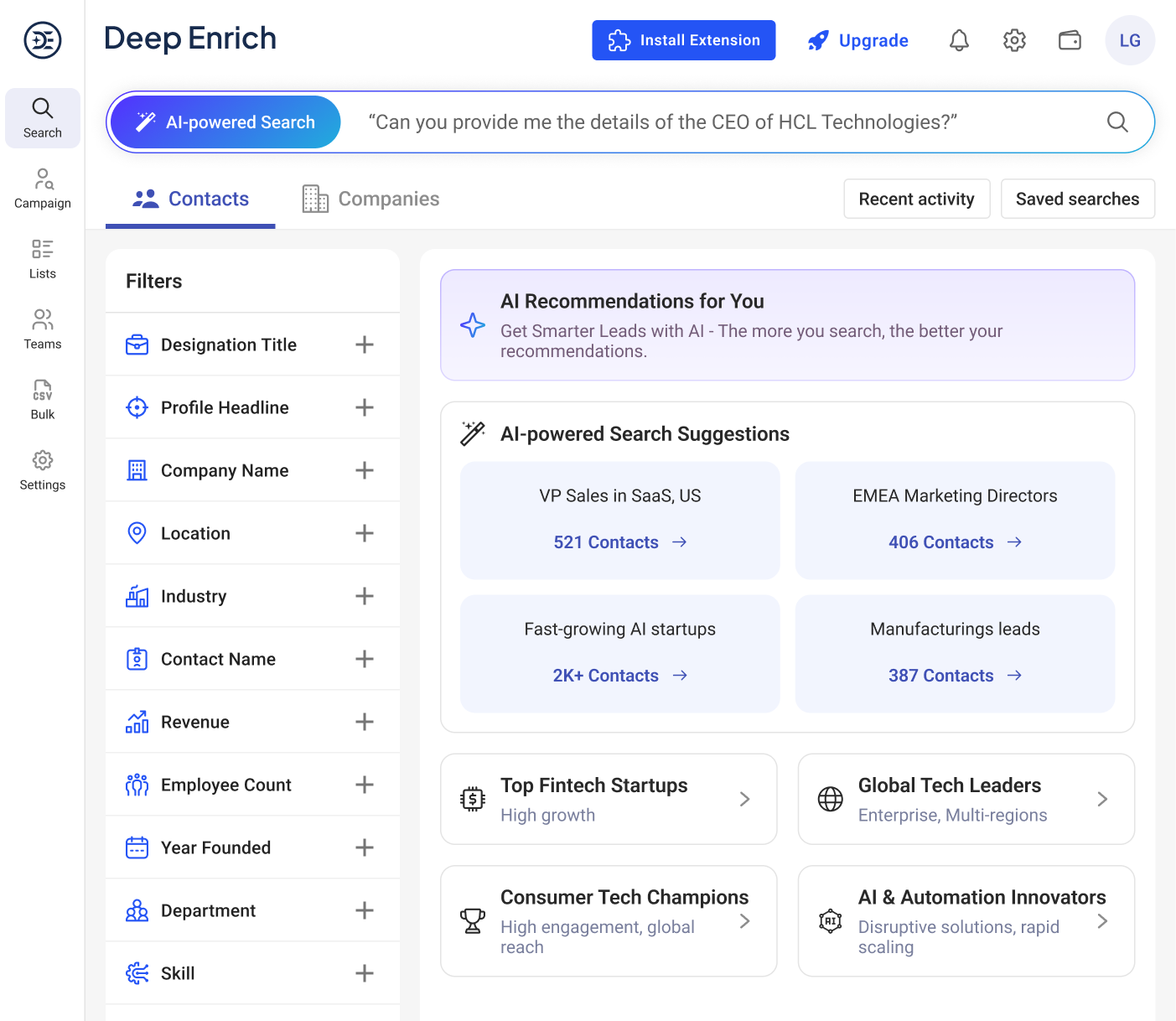
A powerful tool designed to simplify prospect discovery, enabling users to quickly find and connect with ideal leads through filters and advanced AI search capabilities
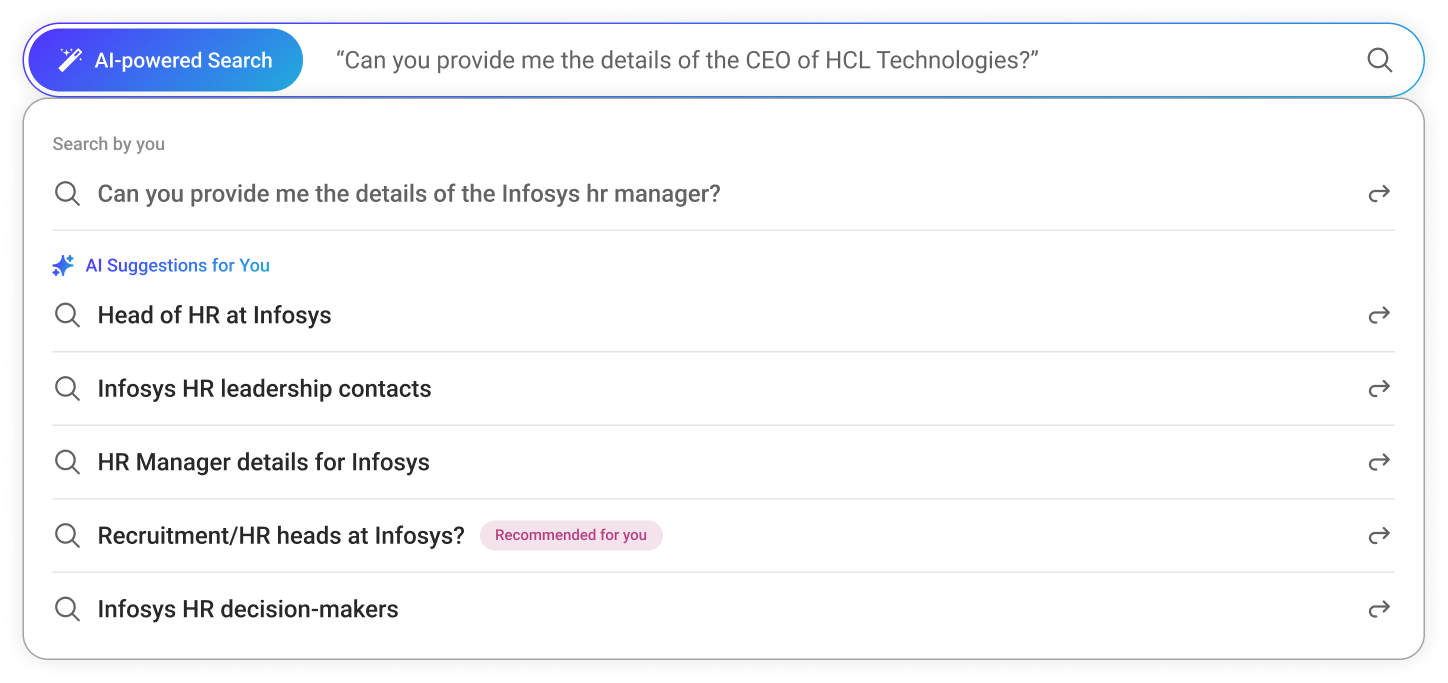
It allows you to search using natural, layman’s language (e.g., “find leaders in manufacturing,” “MD in Mumbai, India”). AI performs semantic analysis to understand meaning, not exact keywords. Detects intent and emotion to return more relevant business contacts and companies.
The Ideal Customer Profile can now be found in just a few clicks. Our search panel, powered by AI, understands natural language, performs semantic and intent analysis and delivers highly accurate prospects, saving you time and effort.
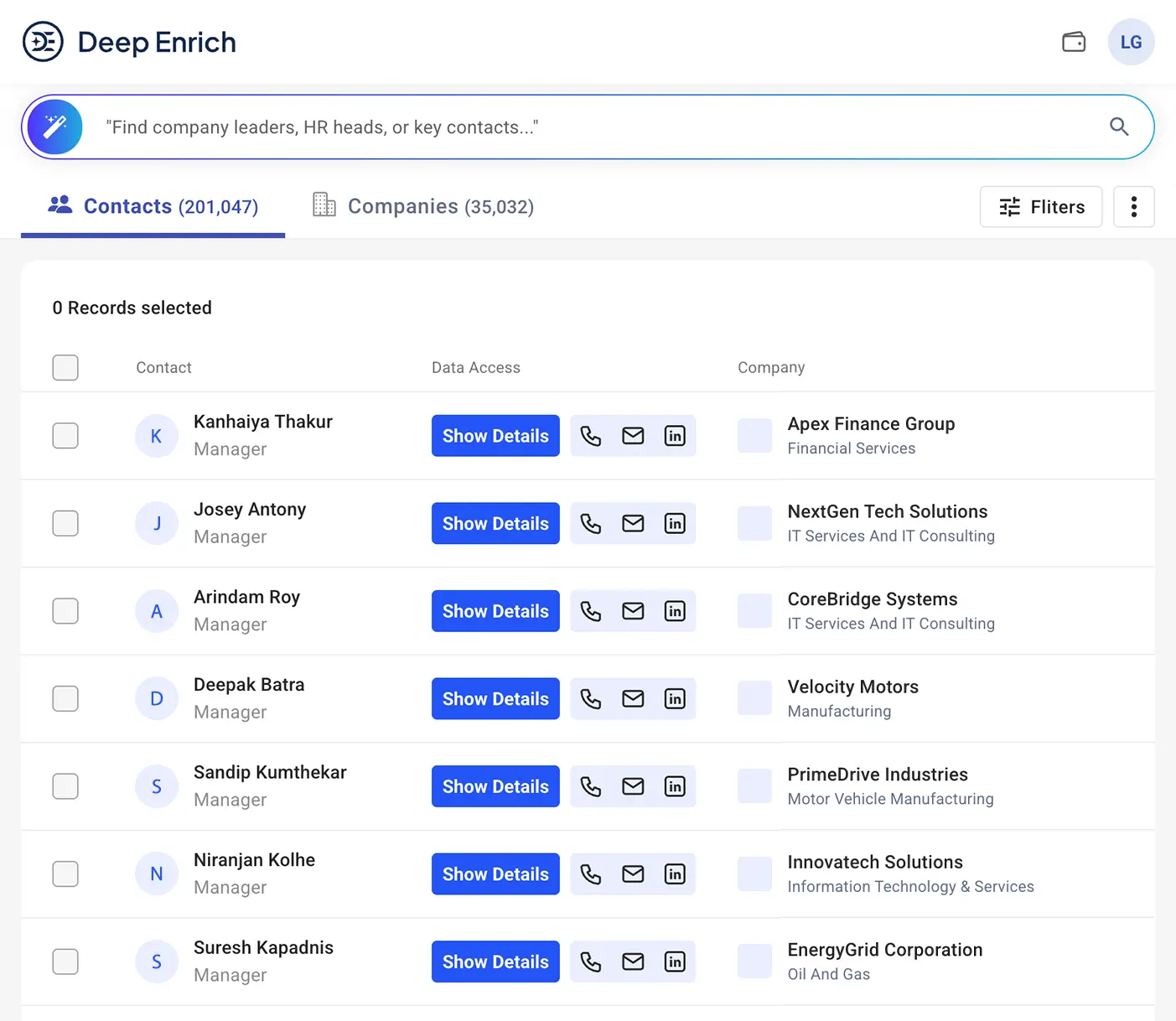
Get a deeper, clearer view of your target audience with expanded results. With the help of AI, you see not just more results but the right ones that align with your business goals.
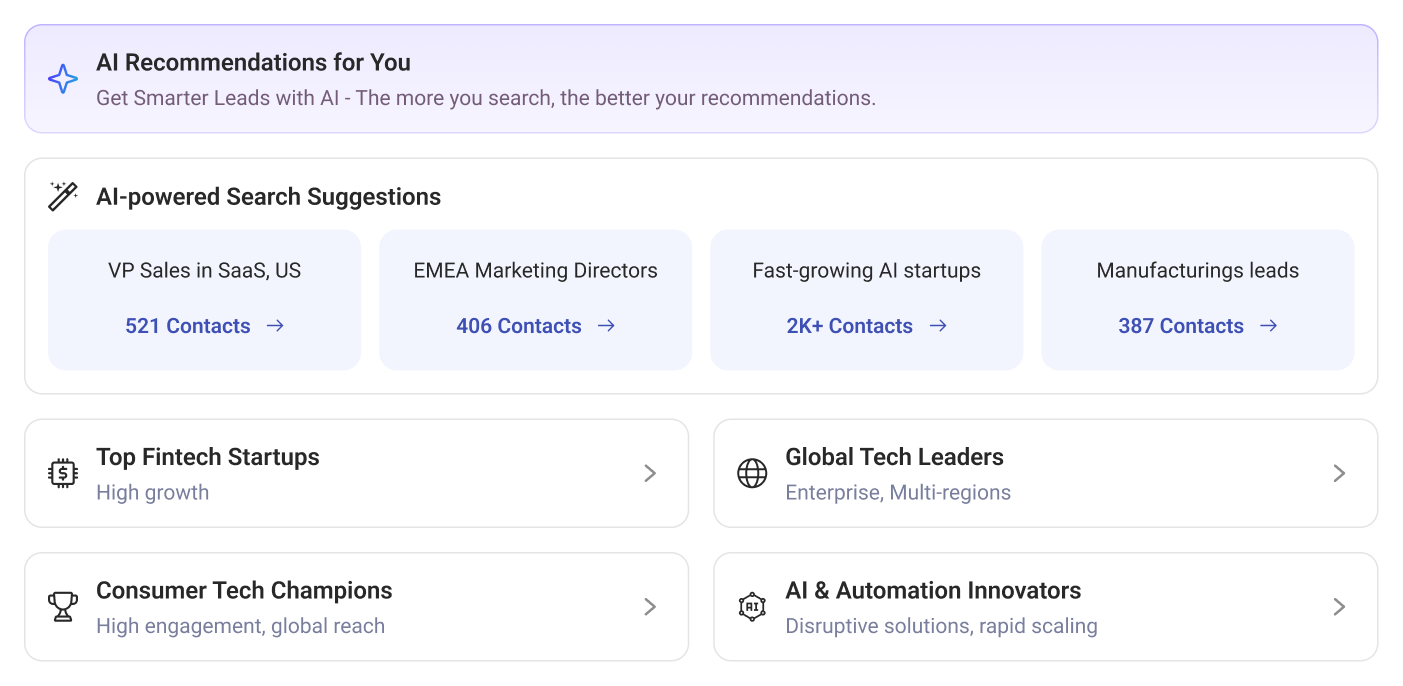
Refine your search effortlessly using advanced filters like designation, revenue, company size, industry, or location. Smart AI suggestions highlight relevant roles, segments, and markets you might otherwise miss that helps you focus only on high-value prospects.
The structured search logic ensures consistent accuracy. Whether targeting specific roles or exploring new markets, you get reliable results for applied filters. The user-friendly interface provides easy access, smooth navigation, and quick completion of complex searches, boosting productivity.

Viewing Your Results
LinkedIn Profile Enrichment Directly
Credit Usage

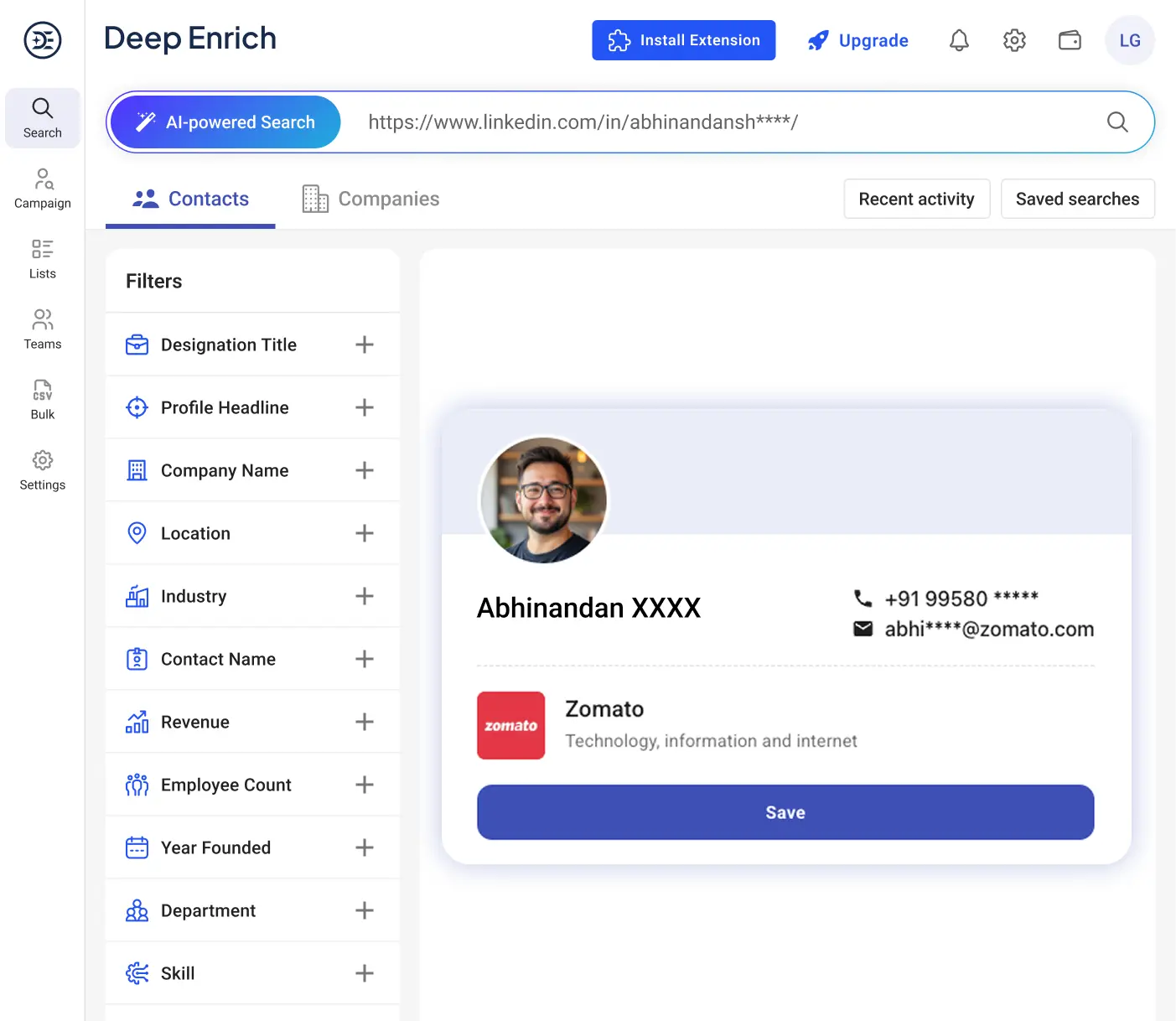
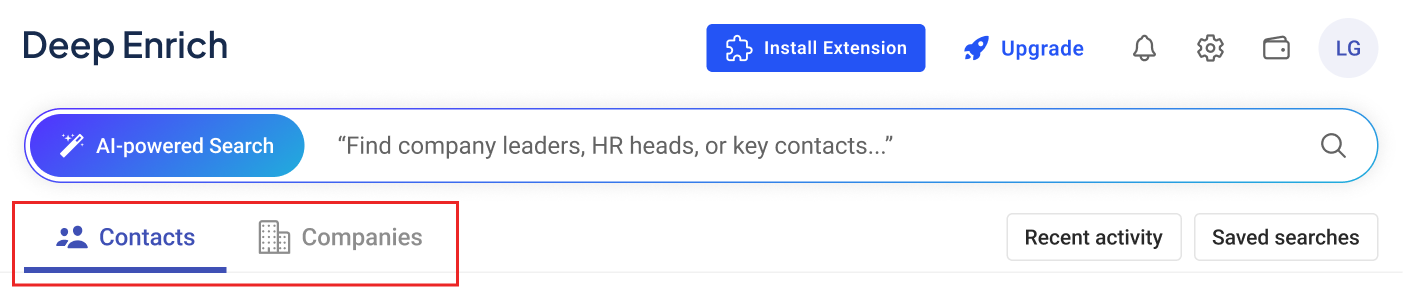
Use side filters to refine your search and focus on your Ideal Customer Profile (ICP) with pinpoint accuracy.
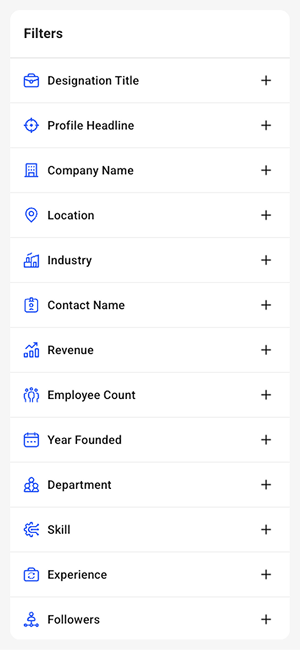
Note- Combine multiple filters to get the most precise and relevant search results.
When you click on a desired result, you can view or buy detailed information such as email ID, phone number, and LinkedIn profile.
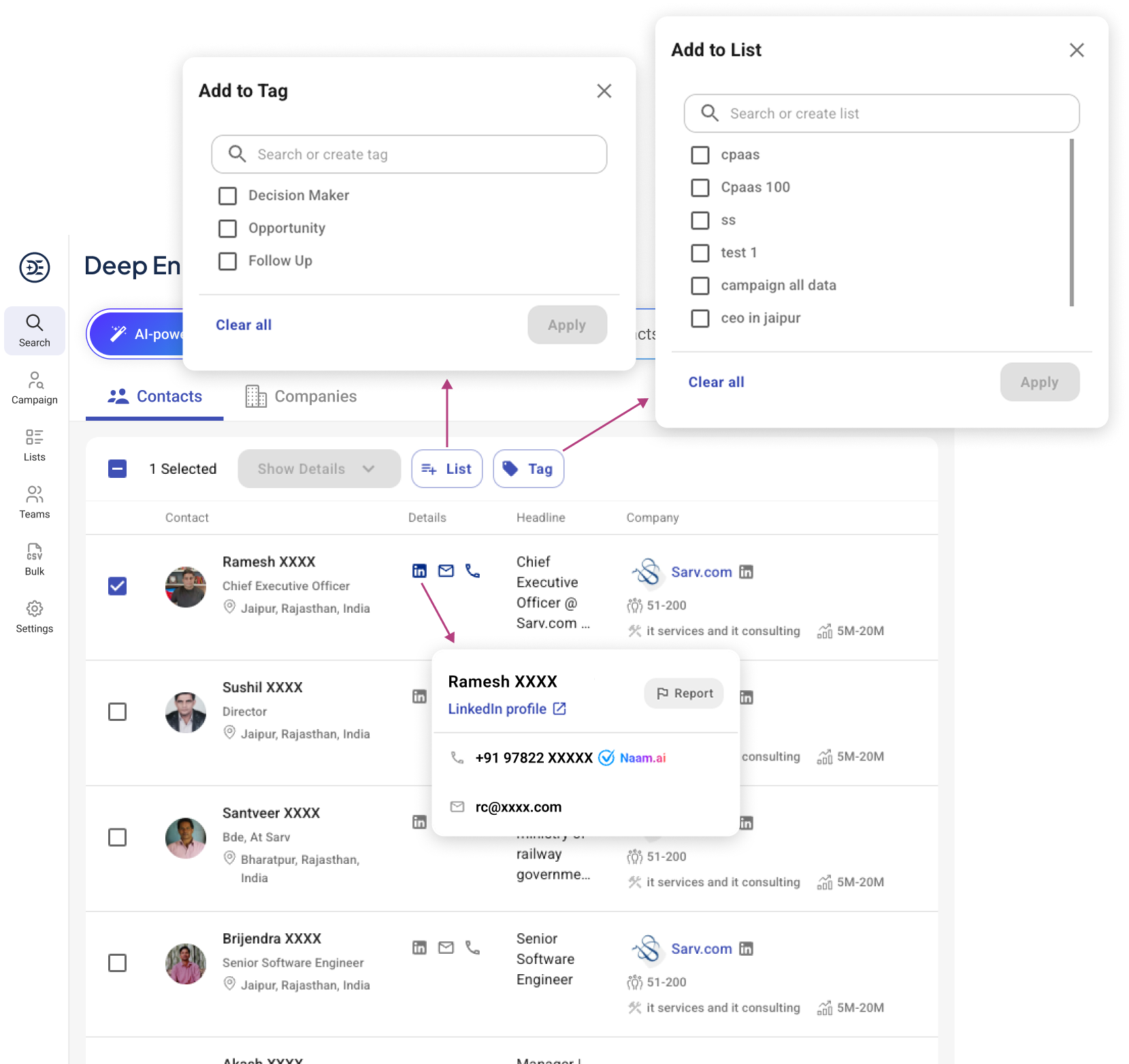
In the top right corner, there is a Quick Access Panel that allows you to conveniently view Recent Activities, and Saved Searches - all in one place.
The Recent Activity tab shows your last 30 days of activity, including all searches, enriched profiles, and data lookups. Each entry displays the search type, filters used, and timestamp, allowing you to reload any past search instantly. This makes it simple to pick up where you left off - without needing to reapply filters.
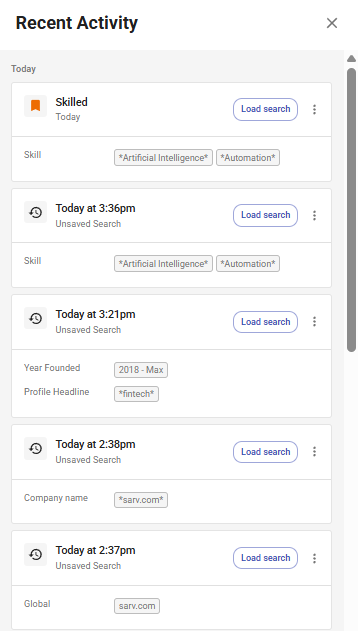
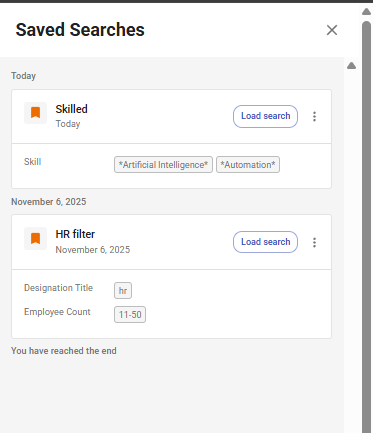
You can save any search filter for future use. Saved filters help you quickly run the same search again with just one click. Simply click “Load Search” to reuse your saved search instantly.


 Deep
Enrich
Deep
Enrich